TPA owners and CEOs
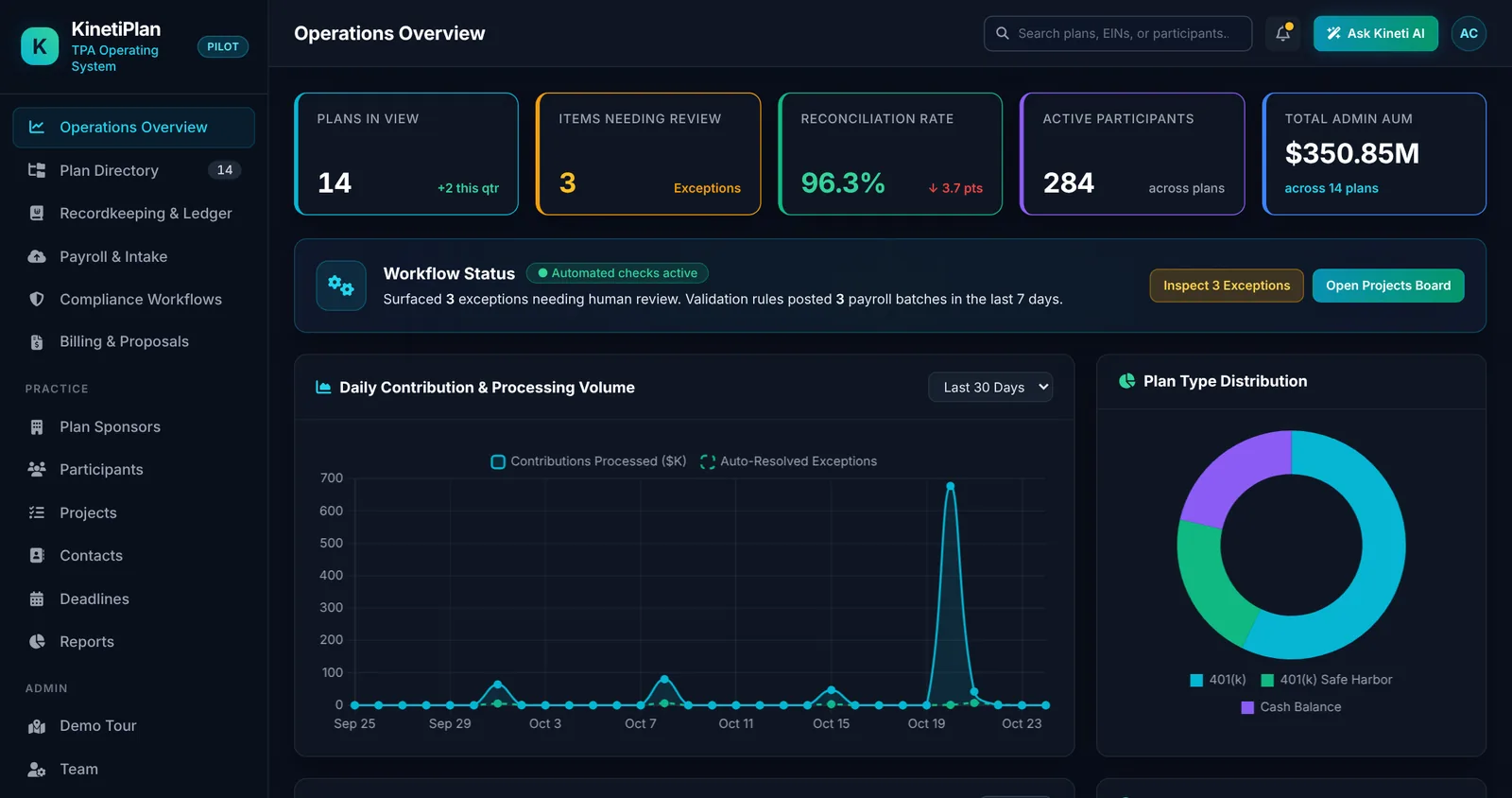
See plan counts, open exceptions, overdue work and staff load in one view, and grow the book without adding the same number of people.
KinetiPlan brings payroll and census intake, exception review, the recordkeeping ledger, nondiscrimination testing, deadlines, Form 5500 filing and billing into one system built for independent US third-party administrators, and deployed in infrastructure you control.
An independent TPA practice typically keeps plan provisions in one place, runs nondiscrimination testing in another, receives payroll files by email, checks contributions in spreadsheets, tracks deadlines in a shared calendar and prepares Form 5500 in yet another tool. Each hand-off is a chance to re-key data, lose an exception or miss a date.
The cost shows up in predictable places: a February crunch while census files are cleaned, ADP/ACP failures found after the March 15 corrective-distribution window, Form 5500 data that does not match the testing data, and senior staff spending their time chasing files instead of reviewing results.
KinetiPlan is designed to remove those hand-offs by keeping the plan, its census, its payroll history, its ledger and its deadlines in one data model, so each step uses the output of the previous one.
See plan counts, open exceptions, overdue work and staff load in one view, and grow the book without adding the same number of people.
Route payroll and census exceptions to owners with due dates, and see what is blocked before a deadline slips.
Work from one plan record: census, payroll batches, test results, projects and filings, without re-keying between tools.
Deploy in infrastructure you control, with a written shared-responsibility model and SOC 2-aligned practices.
Plan type, plan number, effective date, plan year end, recordkeeper and advisor live on one plan record that every later step reads from.
CSV exports from ADP, Paychex, Gusto or a generic layout are validated against the plan census at upload. Missing dates of birth, duplicate IDs and deferrals larger than pay are caught before anything posts.
Rows that fail a rule go to an exception queue with the reason. Staff approve or dismiss with notes, and the decision stays in the audit trail.
Validated contributions post to a pooled trust ledger with ACH settlement batches and a discrepancy queue, so balances are traceable to the source file.
ADP/ACP, 410(b), top-heavy, 402(g) and 415(c) results are calculated per plan, and each plan's regulatory deadlines appear on a compliance calendar.
Form 5500 is generated from the same plan data and filed directly with EFAST2 after explicit human approval and sponsor e-signature. Fee schedules drive proposals and invoices.
One data model for plan administration and the participant ledger. See integrated administration and recordkeeping.
Runs in your AWS account in a US region you choose, or on-premise. See customer-hosted deployment.
Statutory limits such as 402(g) and 415(c) run as deterministic code with visible inputs. Planned AI features are read-only and never change a ledger balance.
Workflows were designed by people with 18+ years in TPA operations, starting from the exceptions and deadlines that cause the most rework.
We would rather you know the boundaries before a demo than after it.
| Capability | Status | Notes |
|---|---|---|
| Plans, sponsors, participant census, annual projects | Pilot build | Working with synthetic data. |
| Payroll intake (ADP, Paychex, Gusto, generic CSV) with census validation | Pilot build | CSV upload only; no live payroll connections. |
| Pooled trust ledger, ACH settlement batches, discrepancy queue | Pilot build | Records money movement; KinetiPlan does not move money. |
| ADP/ACP, 410(b), top-heavy, 402(g), 415(c) testing | Pilot build | Results are for review by qualified staff. Not a certified testing engine. |
| Compliance calendar per plan, .ics export | Pilot build | Prior, current and next plan years. |
| Form 5500 generation and direct EFAST2 filing | In KinetiPlan | Human approval gate and sponsor e-signature routing before transmission. |
| Billing, fee proposals, invoices, reports, JSON API | Pilot build | Billing records payments; it does not process them. |
| RMD alerts, force-out workflow, override log | Proposed | Candidate pilot scope, defined against your plan documents. |
| AI assistance (summaries, drafting, search) | Planned | Read-only by design; never changes ledger balances. |
Software a TPA uses to run plan administration: census and payroll intake, eligibility, contribution checks, nondiscrimination testing, deadline tracking, Form 5500 preparation and client billing. Some products also include participant recordkeeping; KinetiPlan includes both in one system.
KinetiPlan is a working pilot build that runs on synthetic demo data. It is offered to independent TPAs through scoped pilots, not as a generally available product. See how a pilot works.
It can act as the recordkeeping system of record for plans where the TPA keeps the ledger, and it records ACH settlement batches. It does not move money and does not connect live to custodians today; external records are imported and reconciled.
Payroll arrives as uploaded CSV exports in ADP, Paychex, Gusto or a generic layout. There are no live payroll integrations today.
No. KinetiPlan follows SOC 2-aligned practices but has no SOC 2 report or other certification. Customer data in production is hosted in the customer's environment on AWS in the USA or on-premise.
Book a 15-minute live demo, or try the free calculators first.
A 15-minute walkthrough of the pilot build with synthetic data, focused on the process you pick. No slides required.